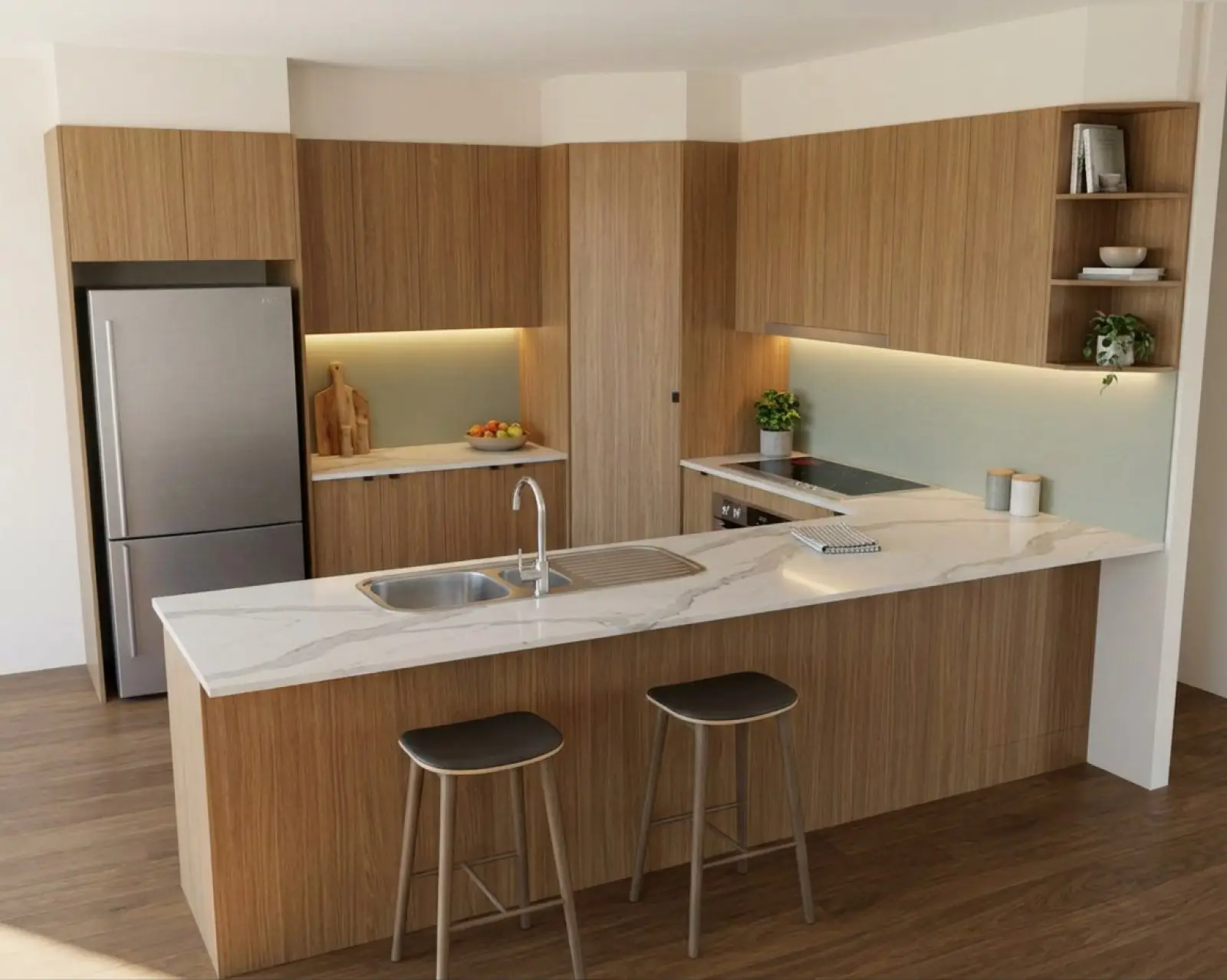
A kitchen render with oak cabinets and a sage splashback.
Questions before you buy.
What Asterlyn Space does and what it won’t, how credits and the trial work, and what happens to what you upload. If your question isn’t here, email us.
Renders are AI-generated. They closely match the finishes you pick, but they aren't exact. Check real samples before you order.
The product
What is Asterlyn Space?
Asterlyn Space is a kitchen visualiser for cabinet makers. You upload a drawing of the job or a photo of the room there now, pick the colours and materials, and get back a photoreal AI render to show the customer.
It’s built by Pecalium Pty Ltd in Queensland, Australia: one of us has been making kitchens for over twenty years, and the other two write the software. See how it works.
Does it only do kitchens?
No. You pick the room when you create a project and the whole app changes with it: kitchen, kitchenette, scullery, butler’s pantry, pantry, bar, outdoor kitchen, vanity, ensuite, powder room, laundry, wardrobe, walk-in robe, linen cupboard, TV unit, shelving, study, mudroom, garage storage, workshop, shop counter, or other.
The runs are named in that room’s own words, so a laundry asks about its benchtop (countertop) and its overheads (upper cabinets) rather than about kitchen cabinets. See rooms.
How long does a render take?
A couple of minutes. A colour change on a render you already have takes about the same.
Do I need to install anything?
No. It runs in a web browser. You sign in, upload, and render.
Is the render a manufacturing drawing?
No. It’s a picture to show the customer and sell the look. Don’t take a size, a clearance or a proportion off it. Measurements, specifications and real material samples stay your job, and your own drawings are what the job is built from.
Drawings and photos
What can I upload?
A hand sketch, a flat 2D elevation, a screenshot from 3D CAD or SketchUp, or a photo of the room there now. Upload it as a JPG, PNG or WebP image, up to 25 MB. Preparing a drawing covers what reads well.
Can I use a photo of a kitchen that already exists?
Yes. A photo is treated as a finished room rather than a drawing: it’s renovated in place, keeping the room, the light and the camera, with your materials on it. If the file is read as the wrong kind, use the Read this file as switch on the project page. See rendering a photo of an existing kitchen.
Can it move cabinets or change the layout?
No, and that’s deliberate. The render reproduces what your drawing shows: the same runs, the same doors and drawer fronts, in the same places. A picture that quietly redesigns the kitchen is no use for selling it.
To change the layout, change the drawing and upload it again. Adding or removing one item, like a wine rack or a shelf, is done on the render with Object / detail.
My sheet has several drawings on it. Do I cut it up first?
No. Upload it as it is. A page with several drawings is split on its own gutters, one project per drawing, and each takes its room from the caption under it. You can untick any you don’t need, and nothing renders until you press the button.
What if it reads my drawing wrongly?
Open Review detections to see the appliances and sinks it found and correct them before you render. If the drawing itself has changed, use Re-read drawing. If a photo was read as a drawing, or the other way round, change Read this file as on the project page.
Renders and accuracy
How accurate are the colours?
Renders are AI-generated. They closely match the finishes you pick, but they aren't exact. Check real samples before you order.
Pasting the supplier’s own swatch gets you closer than typing a colour name, and a patterned stone or tile you paste comes back as a close likeness of it. Screens still vary, and the render puts the colour under room lighting, so it won’t match a sample held up to the monitor. See matching a supplier colour.
What resolution are the renders?
Up to 2K. When you’ve settled on a render, you can take it up to 2K, about 2500 × 1700. It’s drawn again at that size, not enlarged, and costs 2 credits. If anything comes back changed, nothing is delivered and the credits go back. Everyday renders along the way are smaller than that.
Can I change just one part of a render?
Yes. Draw a box or a shape around the part and pick Appearance (a new colour or finish), Object / detail (add, remove or swap something) or Text instruction (your own words). Everything outside the mark is built to stay as it was. See fixing part of a render.
Why did my first render come back in colours I didn’t pick?
The first roll builds the room in one of our showroom schemes, then your materials go on straight after, on the picture that came back. On a project’s first render that second pass is free: one credit buys both. Anything your drawing already colours in is kept as drawn.
Do I keep the earlier versions?
Yes. Every pass is kept as its own version. You can compare two with a slider or side by side, and download the one you want.
Credits and billing
How much does it cost?
Three monthly plans, with every feature on every plan. They differ only in credits, users and storage:
- Starter: US$29 a month, 60 credits, 2 users, 1 GB.
- Studio: US$79 a month, 200 credits, 5 users, 10 GB.
- Pro: US$199 a month, 600 credits, 15 users, 50 GB.
Prices are in US dollars and don’t include tax. Where GST or another tax applies, it’s added at checkout and shown on your invoice. See pricing.
What does a credit buy?
One credit is one finished picture. A render, a colour change, a lighting pass, a refine or a photoshoot pass is 1 credit. Taking a render up to 2K is 2.
Do unused credits roll over?
Your plan’s monthly credits don’t. They’re replaced when your next payment goes through.
Top-up credits are different: they stay until you use them, and they’re only spent once the month’s plan credits are gone.
What happens if a render fails?
If a render doesn’t finish, its credit goes back on your balance automatically. A failure doesn’t cost you. If a picture comes back with a fault the app caught but couldn’t fix, the studio says what the fault is, so you can fix it with a refine.
Can I buy more credits mid-month?
Yes. Top-up packs are 20 credits for US$15, 50 for US$35 and 150 for US$90. They land on your account straight away and never expire while your account exists. Top-ups need an active subscription. If you’re often running out, a bigger plan works out cheaper per render.
Can US cabinet makers use it?
Yes. Your first five renders are free, with no card needed. Prices for paid plans are in US dollars.
How do I change plan?
Email support@pecalium.com with your team name and the plan you want.
How do I cancel?
From your billing settings, any time. Cancelling stops the next renewal, and you keep your plan until the end of the period you’ve paid for. We don’t refund part of a billing period or unused credits, except where the law requires it. That doesn’t limit your rights under the Australian Consumer Law. The detail is in our terms.
Trial
Is there a free trial?
Yes. Sign up and your account gets five credits for your first five renders. No card is asked for. It’s one free trial per person.
What happens when the free renders are used?
The trial ends when those credits are used. To keep rendering you need a paid plan. A free account that has never paid is deleted, with its projects, if nobody signs in to it for 90 days, so sign in at least once every 90 days if you want to keep it.
Teams
How many users can I add?
Starter includes 2 users, Studio 5 and Pro 15.
Who controls the team?
The team owner decides who joins, which role they have and which plan the team is on. Members can be an Admin, a Designer or a Viewer, and an Admin can also invite people.
Data and privacy
Do you train AI on my uploads?
No. We don’t use your drawings, photos, renders or anything else you upload to train or fine-tune any AI model, ours or anyone else’s. See your data and our privacy policy.
Who owns the renders?
You keep any ownership you have in what you upload, and we don’t claim ownership of your renders. You can use them for personal or business purposes, including showing and sending them to your customers, subject to the law and to anyone else’s rights in the material used to make them.
We can’t promise a render is unique, because a similar image could be produced for someone else. The detail is in our terms.
Where is my work stored?
Your uploads and renders are stored privately, in Sydney. They leave Australia only when they are sent for AI processing. The providers we use are listed on our subprocessors and security page.
What happens to my projects if I stop paying?
When a subscription ends, we keep the team’s projects, uploads and renders for 90 days, so they’re there if you start a plan again. After 90 days we delete them. Download anything you want to keep.
Can I upload photos of a customer’s home?
Yes, with their permission. A photo of a home often shows the owner’s belongings and sometimes people, so ask before you upload it.
Support
How do I get help?
The in-app help answers the questions that come up most once you’re in the studio. For anything else, email support@asterlynspace.com with the project name and the render number (the # shown on the render). We answer our own email in Queensland business hours, Monday to Friday.
Where do billing questions go?
Invoices, payments and plan changes go to support@pecalium.com.
Can I see it working before I sign up?
Yes. Book a demo, or sign up and try it on your own drawing with the five free renders.
Try it on a drawing you already have.
Your first five renders are free. No card needed.