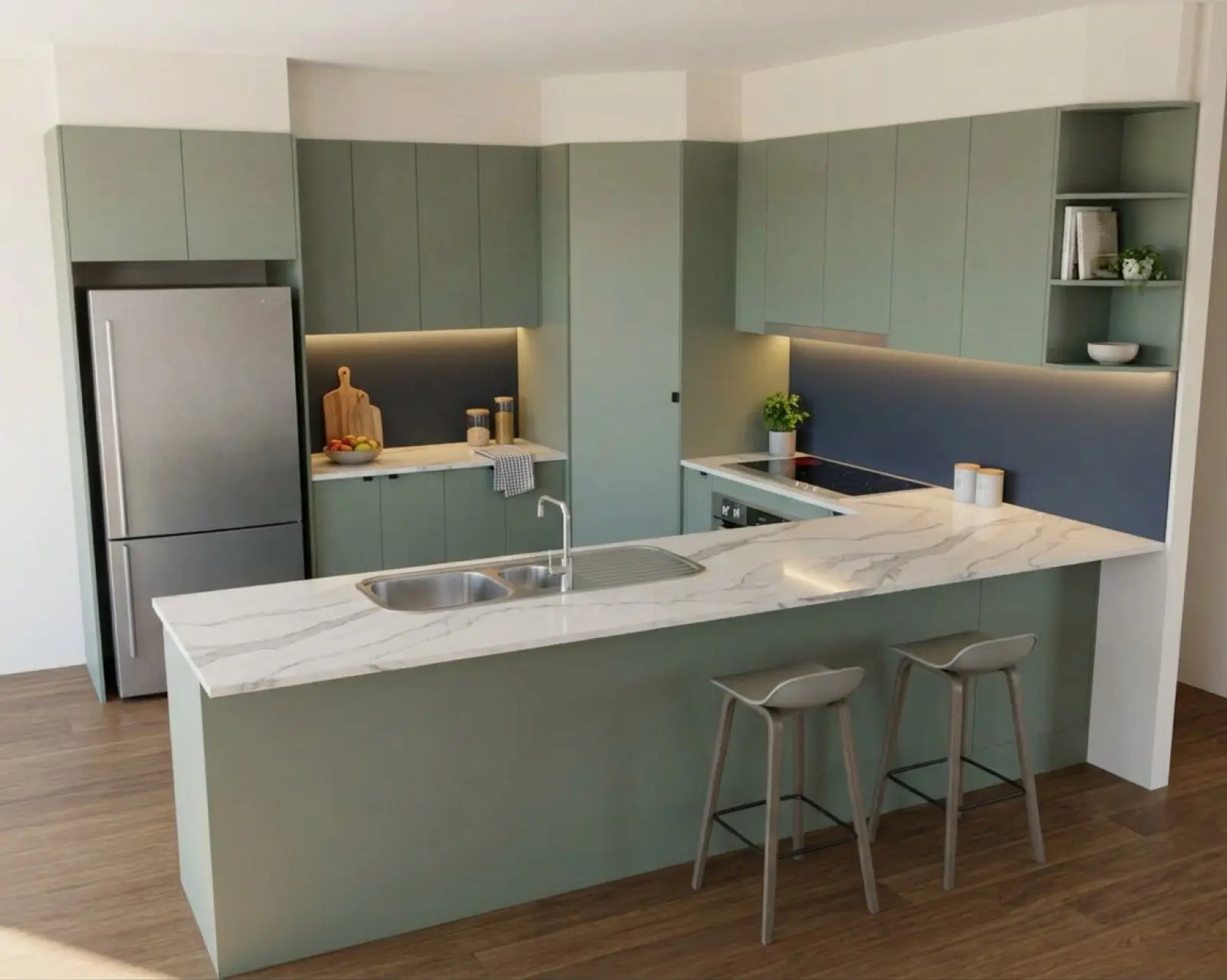
Sage cabinets with a navy splashback, rendered in Asterlyn Space.
Choosing how to show a customer their kitchen.
A customer who can't read an elevation needs a picture before they sign. There is more than one way to get that picture, and each suits a different job.
Renders are AI-generated. They closely match the finishes you pick, but they aren't exact. Check real samples before you order.
Where the picture can come from.
What most makers weigh up.
You can have a render made by a render artist or a studio. You can render it yourself in your CAD program. Or you can use an AI tool, either one built for cabinetry, like Asterlyn Space, or a general-purpose image generator.
They differ in how long the picture takes, what it costs, how easily it changes when the customer wants a different benchtop (countertop), and how closely it sticks to what you drew. None of them is a manufacturing drawing. Measurements, specifications and real samples stay your job whichever you pick.
One of us has been making kitchens for over twenty years and has used all of these at some point. The pages below set out the trade-offs as fairly as we can, including where the other route is the better choice.
Pick the comparison you need.
- Compare
Asterlyn Space vs a traditional render
A render from a render artist or studio, or one you set up in CAD. Turnaround, cost, changes and when each is the right call.
- Compare
Asterlyn Space vs general AI image tools
General-purpose image generators and chat tools. What they do well, and what a tool built around cabinetry and your drawing does differently.
A few questions worth asking.
Questions that decide it.
- How soon does the customer need to see it? Same day, or can the job wait a week or two?
- Is this to sell the job, or to show a finished design with exact products in it for a display or a brochure?
- How many times will the customer change their mind about colours before they sign?
- What do you already have: a hand sketch, a 2D elevation, a CAD screenshot or a photo of the room there now?
If you want to see the steps first, how it works walks through one project from upload to finished render. The gallery shows what comes back, and pricing sets out what a credit buys.
See how it handles one of your drawings.
Your first five renders are free. No card needed.