Starter
US$29/ mo
- Render credits a month
- 60
- Users
- 2
- Storage
- 1 GB
For cabinet makers planning kitchen renders, compare plans by monthly render credits, user limits and storage. Every plan includes every feature, and prices are in US dollars billed monthly.
US$29/ mo
US$79/ mo
US$199/ mo
Prices are in US dollars and don’t include tax. Where GST, VAT or sales tax applies, it is added at checkout.
One credit is one finished picture. You see the cost on the button before you press it.
| What you press | What it does | Credits |
|---|---|---|
| A render | On a project’s first render, the pass that puts your materials on is included free. | 1 |
| A colour change | Apply my changes: colours, lights and props on the picture you already have. | 1 |
| A refine | Appearance, Object / detail or Text instruction on a marked area. | 1 |
| A light or relight pass | Ceiling lights on, or a different mood. | 1 |
| A photoshoot pass | Stages the finished room the way a listing is photographed. | 1 |
| A photograph pass | Re-photographs a render that still looks like the 3D visual it came from. | 1 |
| Full size at 2K | Draws the picture you settled on again at about 2500 × 1700. | 2 |
| A render that fails or doesn’t finish | The credit goes back on your balance. | 0 |
Creating a project, uploading, checking what was read and downloading a render don’t use credits. The how it works page walks through a whole job with the cost of each step. To weigh that against paying a render artist, see Asterlyn Space vs a traditional render.
Your plan’s credits arrive when each monthly payment goes through: 60 on Starter, 200 on Studio, 600 on Pro. They are for that month. When the next payment goes through, whatever is left is replaced with the new month’s allowance. Monthly credits don’t carry over.
As an example, a first render with its free materials pass (1), two colour changes (2), one refine (1) and a 2K at the end (2) come to 6 credits. How many a job takes depends on how many changes the customer asks for.
Credits are shared by the team. Everyone rendering in the team draws from the same balance.
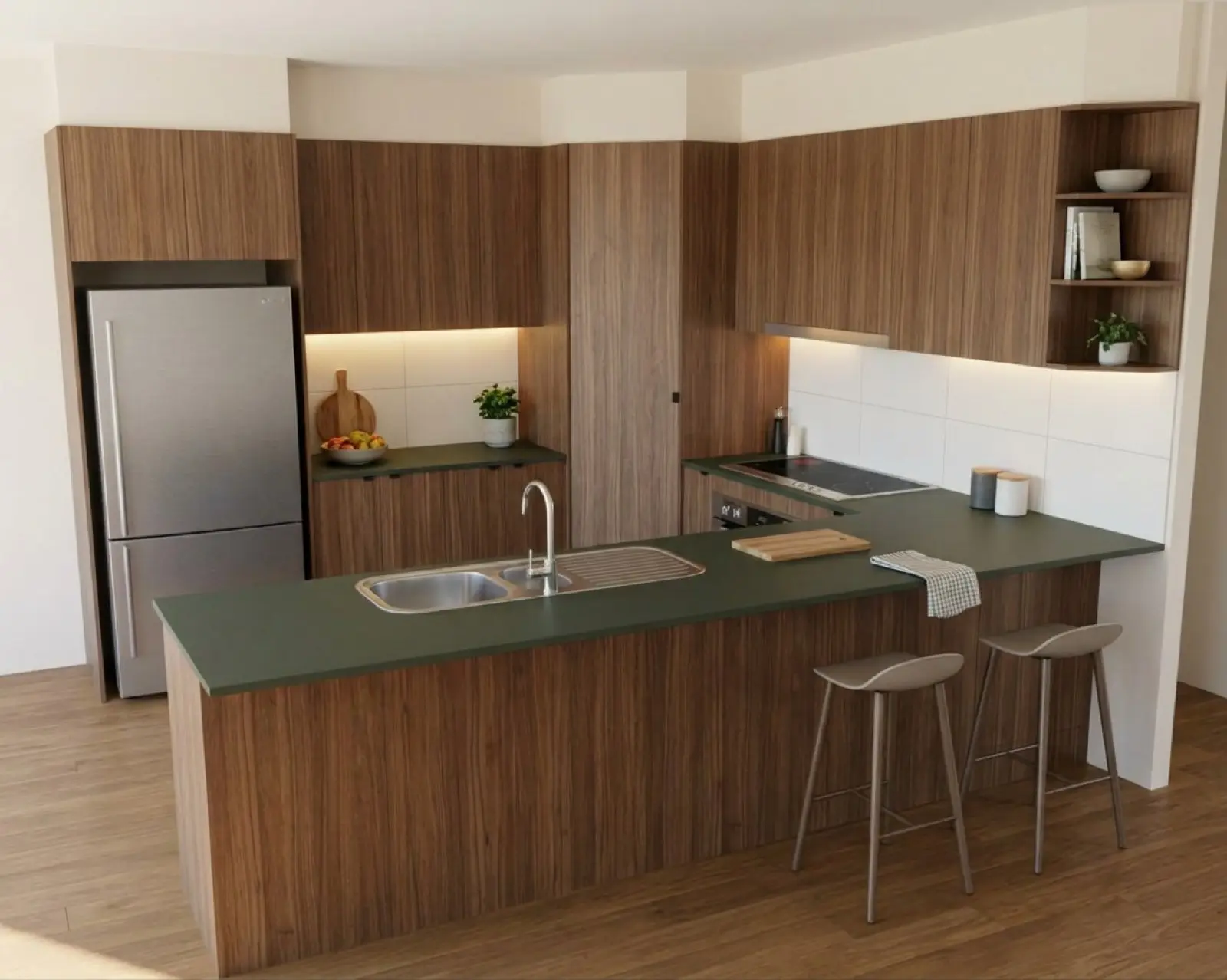
Renders are AI-generated. They closely match the finishes you pick, but they aren't exact. Check real samples before you order.
Buy a pack from the Billing page and the credits land on your account straight away. Top-up packs need an active subscription. They never expire, and they are used only after the month’s plan credits are gone, so a renewal doesn’t touch them.
Packs cost more per credit than any plan. If you top up most months, the next plan up is the better deal.
Sign up and your account gets five credits: your first five renders are free. No card is asked for.
It is one free trial per person.
The trial ends when the five credits are used. To keep rendering after that you need a plan. A free account that nobody signs in to for 90 days is treated as inactive and deleted with its projects, so sign in now and then if you want to keep it.
Every person has their own login. Don’t share one login around the workshop. The plan’s user limit counts the people on the team and any invitations still waiting to be accepted.
Storage is for the team’s uploads and renders. Every plan has every feature, so moving up a plan buys credits, users and storage, nothing else. See teams for roles and inviting people.
You can cancel at any time from your billing settings. Cancelling stops the next renewal, and you keep your plan until the end of the period you have paid for.
We don’t give refunds or credits for part of a billing period, unused credits or unused user capacity, except where the law requires it or we agree in writing. That doesn’t limit your rights under the Australian Consumer Law. The detail is in the terms.
Email support@pecalium.com with the team name and the plan you want the team on. If you keep running out of credits, moving up a plan works out cheaper per render than buying top-ups every month.
Monthly plan credits are removed at the renewal date, as they are every month. Top-up credits stay on your account while it exists, including after a subscription ends. They are lost if you delete the account.
When a subscription ends we keep the team’s projects, uploads and renders for 90 days, so they are still there if you start a plan again. After 90 days we delete them. Download anything you want to keep.
No. Prices are in US dollars and don’t include tax. Where GST, VAT or sales tax applies, it is added at checkout and shown on your invoice.
Rendering may be paused until the payment goes through. Your projects stay where they are.
If we change a plan’s price, we tell you at least 30 days before the new price applies to your next renewal.
The team’s Owner and anyone with the Admin role. Designers and Viewers can’t open billing. More on roles on the teams page.
Email support@pecalium.com for billing questions, invoice requests and payment disputes. We answer in Queensland business hours, Monday to Friday.
Your first five renders are free. No card needed.