Asterlyn Space vs general AI image tools.
For cabinet makers, compare a kitchen render tool built around your drawing with a general AI image tool for open-ended concepts. Asterlyn Space starts from a hand sketch, elevation, CAD screenshot or photo of the existing kitchen.
What general tools do well.
Open-ended pictures and ideas.
General-purpose AI image generators and chat tools that make pictures are good at a lot. Describe a mood and they will give you several directions to look at. They are useful for:
- mood boards and early ideas, before there is any drawing;
- showing a customer a style they can’t put into words;
- pictures for social media or a website that aren’t tied to a real job; and
- anything outside cabinetry altogether.
Some of them can edit part of an uploaded picture, and results can be very good. If that is the job, use one. Asterlyn Space is narrower on purpose.
What a tool built for cabinetry does differently.
It starts from your drawing, and shows you what it read.
Upload a hand sketch, a 2D elevation, a CAD or SketchUp screenshot, or a photo of the room there now. Asterlyn Space reads the drawing and marks the cabinets, benchtops (countertops) and openings it found on it. Open Review detections and correct anything it got wrong before you render. If the drawing changes, Re-read drawing.
You pick the room when you create the project, from kitchen and scullery through to laundry, vanity, walk-in robe and shop counter. The app names the runs in that room’s words. With a general tool, all of that is down to how you word the prompt. Rendering from a drawing has the detail.
It is built to keep the cabinets where you drew them.
A general image tool makes a new picture from your words and your upload. That is what makes it good for ideas, and it also means doors, runs and the layout can shift from one try to the next.
Asterlyn Space is built to keep the runs, doors and drawer fronts where the drawing shows them, and to change only the finishes you pick. It won’t move a cabinet or change the layout, by design. Render puts new colours on the picture you already have without redrawing the room. Draw it again is there for when a picture came back wrong and you want the room drawn fresh.
A colour for each run, and your supplier’s swatch.
The materials panel has a colour for each run: overheads (upper cabinets), base cabinets, island, tall units, oven tower, the cabinet above the fridge, open shelving and panels. Then the benchtop, splashback (backsplash), floor, walls, kickers and bulkhead.
Copy the supplier’s swatch image and paste it into the studio. On a surface, the picture is sent with the render, so a patterned stone or tile comes back as a close likeness of the one you pasted. Colours and materials explains the panel and the material library.
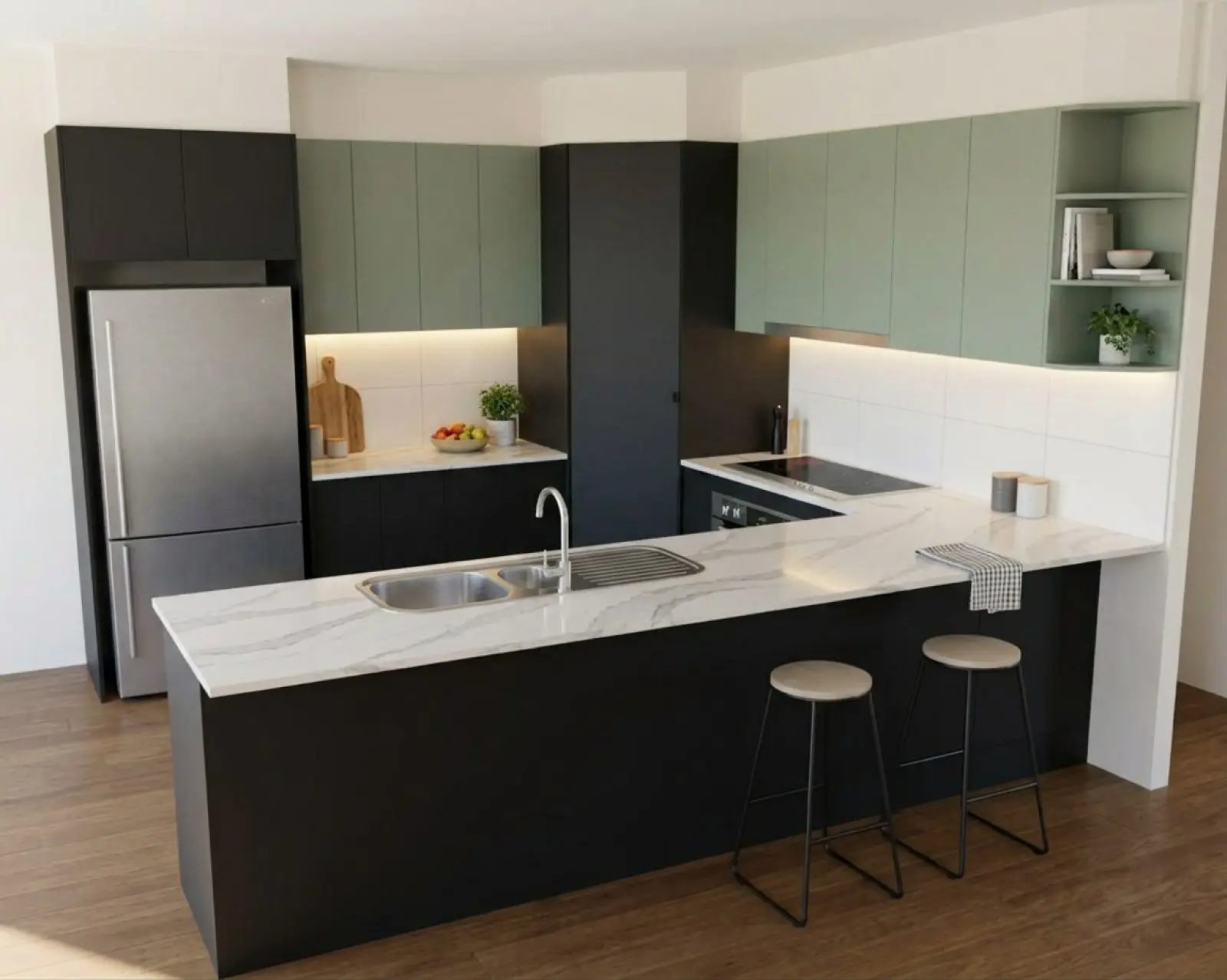
Renders are AI-generated. They closely match the finishes you pick, but they aren't exact. Check real samples before you order.
Mark one area and change only that.
Draw a box or a shape on the render and choose what kind of change it is: Appearance to recolour what is there, Object / detail to add a wine rack or take a shelf out, or Text instruction to describe it in your own words. The render is built to change only the marked area and keep everything outside it. If a box stops halfway along a door, the edge is pushed out to the nearest join. Editing a render walks through each one.
The job stays together.
Every pass is kept as its own version inside the project, so you can go back to the render the customer liked two changes ago, compare two with the slider or side by side, and download the one you settle on.
Accounts have teams. Users are named people, invited by email, and every project and every version is there for whoever picks the job up next. You pay in credits: 1 credit is one finished picture, a 2K re-render is 2, and a render that fails or doesn’t finish gives the credit back. Teams and pricing have the detail.
Who holds your uploads.
Asterlyn Space is run by a small Australian company in Queensland. Uploads and renders are stored in Sydney. We do not train any AI model on the drawings or photographs you upload. Your data sets out who processes what, and where, in plain words.
Try it on a drawing you already have.
Your first five renders are free. No card needed.